


Artlume: AI Video Gen
0.00.00 Reviews
App Specs
- Version
- 1.0.0
- Updated On
- License
- Free
- Downloads
- 10,000+
- Developer
- Uğur Cebeci
- Categories
- Art & Design
- Platform
- Android
Screenshots
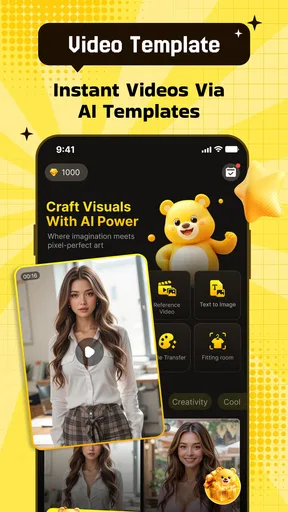
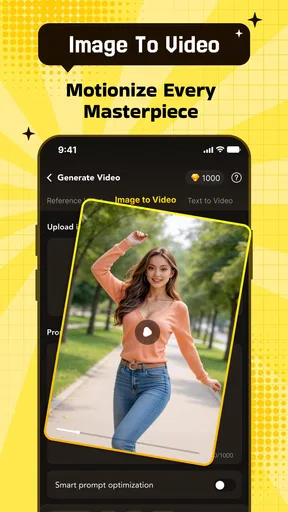
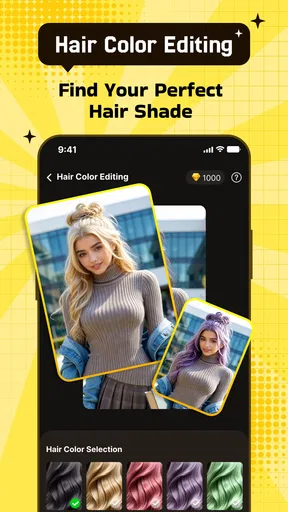
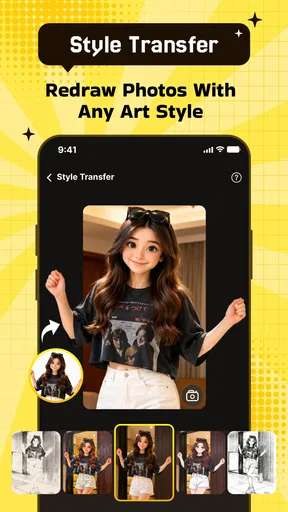
 Analysis by AppCompare
I found Artlume: AI Video Gen most interesting when I treated it as a way to give a still image a sense of motion rather than as a full video-editing studio. Its central appeal is simple: start with a photo, apply an AI-driven visual treatment, and turn the result into something that feels more alive. That focus makes it approachable for people who have ideas for short visual posts but do not want to learn a complicated timeline editor first.
The app sits in the Art & Design category and is developed by Uğur Cebeci. It is free to install, although in-app purchases range from $1.99 to $99.99 per item. The age rating is Mature 17+, so I would not treat it as a general-purpose children’s creativity app. It requires Android 7.0 or later, and the current version is 1.0.0. The release date is Jul 16, 2026, and the app has passed over 10 thousand installs, which gives it some early visibility without making it feel like an established replacement for every major video tool.
Turning a single image into a moving idea
The verified capability I kept coming back to was the photo-to-AI-video workflow. In practice, this changes the question from “How do I edit a video?” to “What kind of movement would make this picture more expressive?” That is a useful shift. A portrait, product image, illustration, travel photo, or atmospheric landscape can become the starting point for a short creative experiment instead of remaining a static file in the gallery.
What I like about this approach is that it lowers the barrier to making something visually presentable. Traditional mobile editors are excellent when I already have clips, know the order of the shots, and want control over cuts, timing, text, and sound. Artlume is aimed at the earlier moment, when I have one image and want to explore an idea quickly. The creative effects and templates give that image a direction, while the editing tools help shape the result instead of forcing me to build every visual decision from the ground up.
That does not make it a substitute for a conventional editor. AI animation is most useful when a little unpredictability adds character. If I need a subject to move in a precisely choreographed way, preserve exact branding, or match a carefully planned sequence, a manual editor remains the safer choice. Artlume’s strength is the jump from stillness to visual suggestion, not frame-by-frame authority.
The best reason to try it is the speed of the first draft, not the promise of perfect automation. A quick generated version can reveal whether an image has enough energy to work as a short video. If it does, I can refine the direction. If it does not, I have learned something without spending a long time assembling a timeline.
What the workflow feels like in everyday use
I would begin with an image that has a clear subject and a readable composition. A photo with one obvious focal point usually gives the creative treatment a better starting position than a crowded snapshot containing several competing subjects. This is one of the more practical lessons with a tool like Artlume: the app can add motion and style, but it cannot completely rescue an image whose main idea is already unclear.
Worth Reading Before You Choose

Flipboard Shows What News Apps Must Do Beyond the Feed

Switching to Android Auto Means Rethinking Your Driving Routine

Google Calendar Makes a Crowded Week Easier to Manage

Ludo King Makes the Most of the Minutes Between Plans

Baby Panda World Brings Quick Play to Modern Phones, but Its Game Library Feels Busy

ESPN’s Live Game View Makes Following Close Games Easier
From there, the templates are useful as starting points rather than obligations. Choosing a template can help when I know the mood I want but do not know how to describe it. A dramatic portrait, a product reveal, and a dreamy landscape should not be approached in exactly the same way, so I would compare the visual direction of a template with the subject before committing. The fastest result is not always the most suitable one.
The editing stage matters more than it first appears. AI-generated movement can attract attention, but a strong effect may also distract from the person, object, or artwork that made the original image worth using. I found it more helpful to judge each result by asking whether the motion supports the subject. If the effect becomes the entire message, the finished clip can feel like a demonstration of the app rather than a piece of communication.
For a social post, I would create several variations from the same source image and compare them side by side before choosing one. That workflow is more reliable than trying to perfect the first result. It also exposes a trade-off: the app makes experimentation easier, but experimentation can encourage endless tweaking. Setting a small goal, such as selecting one version for a story or message, keeps the process from becoming an open-ended loop.
A realistic use case: making a product announcement from one photo
Imagine that I run a small handmade shop and have one clean photo of a new mug, print, or piece of jewelry. I do not have a filmed launch sequence, but I want a short visual announcement for a social feed. Artlume gives me a practical route: use the product photo as the visual anchor, test a restrained template, and use the generated movement to make the image feel more noticeable than a regular still post.
The important part is restraint. I would avoid a treatment that makes the product appear to bend, melt, or change shape if customers need to judge its actual appearance. A gentle presentation effect can create interest, while an aggressive one may misrepresent the item. After generating a version, I would inspect the product edges, lettering, and small details before sharing it. This is a non-obvious but important habit: AI motion can make a clip look exciting while quietly weakening the accuracy of the original image.
The same workflow could help a freelancer turn a portfolio image into a short introduction, or help a photographer give a favorite still a more active presentation. In both cases, the app works best as a bridge between a finished image and a lightweight promotional video. It is especially convenient when the user has the visual asset already but lacks time, footage, or confidence with a conventional editor.
How to get more consistent results
I would prepare images with enough space around the subject whenever possible. A tightly cropped face or object leaves less room for believable movement, while a little surrounding context can make the generated animation feel less cramped. This is not a guarantee of a better result, but it is a sensible way to give the effect more visual breathing room.
I would also keep the first test simple. Instead of combining the strongest effect, the busiest template, and several edits at once, I would change one creative decision at a time. That makes it easier to understand what improved the clip and what merely added noise. It is a particularly useful approach for newcomers, because the app’s convenience can otherwise hide which choice caused an unwanted result.
Another practical tip is to judge the clip without sound or captions first, even if the final post will include them elsewhere. If the visual idea only works after extra decoration is added, the underlying animation may not be doing enough. Artlume’s core promise is visual transformation, so I would want the image and movement to carry the concept before adding anything that competes with them.
I would keep the original photo untouched and treat every generated version as a separate experiment. That protects the source asset and makes it easier to return to a calmer treatment after trying something more dramatic. It also helps when the first attempt produces an attractive effect that does not suit the intended audience. Creative apps are more useful when they support reversibility in the user’s workflow, even if the generated output itself is not perfectly predictable.
Where the creative effects help, and where they get in the way
The effects are most valuable when the image already has a mood that can be amplified. A quiet landscape can benefit from a sense of atmosphere, an illustration can gain a more animated presentation, and a portrait can feel more engaging when the treatment respects its main expression. In these situations, Artlume is not replacing the original idea; it is giving that idea another format.
The risk appears when the template becomes more memorable than the content. A highly stylized result may be fun for a personal post, but it can be a poor choice for a portfolio, a product listing, or any situation where viewers need to see the image accurately. I would therefore separate playful experiments from informative edits. For the former, visual surprise is a benefit. For the latter, clarity should win.
This distinction also explains why I would not recommend the app to everyone who wants video creation. Someone making long tutorials, interviews, travel edits from many clips, or carefully timed promotional campaigns will likely be better served by an editor designed around footage and a timeline. Artlume is more focused: it begins with still imagery and explores what AI-assisted motion can do with it.
Free access and the purchase decision
The free price makes it reasonable to test the basic creative direction before deciding whether it fits a regular workflow. I would start with a personal image that is easy to replace, learn how the templates and effects change the result, and decide whether the output is genuinely useful for my needs. That is a better test than judging the app solely by a single impressive example.
Because optional purchases run from $1.99 to $99.99 per item, I would pay attention to the point at which experimentation becomes a paid habit. The broad purchase range means the financial commitment can be modest or substantial depending on what the user selects. For casual users, the free starting point may be enough to decide whether the app deserves a place on the phone. For frequent creators, it is worth considering how often generated videos will actually be used before spending more.
I also would not assume that paying automatically solves every creative limitation. A purchase may make a preferred workflow more convenient, but it cannot guarantee that every photo will animate naturally or that every template will match a particular brand. The right question is whether the app saves enough time and produces enough usable variations to justify the expense for that individual user.
Who will get the most from Artlume
I think the strongest audience is made up of people who already collect images and want a low-friction way to turn them into short visual posts. That includes casual creators, illustrators, photographers, small sellers, and social users who prefer experimenting with a picture over learning a full production suite. The app is also a good fit for someone who wants creative prompts through templates rather than facing a blank editing screen.
It can be especially helpful when the user has a deadline but not much source material. One strong photo can become the basis for several directions, which is more efficient than waiting to film a complete sequence. The trade-off is that the creator needs to curate the results. The app can accelerate the making of options, but the human still has to decide which version communicates honestly and looks intentional.
I would skip it if my priority were precise control, multi-clip storytelling, detailed audio work, or dependable preservation of every tiny visual feature. I would also be cautious if I needed a professional brand workflow in which repeated outputs must follow strict visual rules. In those cases, a traditional editor or a design tool with more manual control would be a better match, even if it takes longer to learn.
For users on older phones, the minimum operating-system requirement is Android 7.0 or later, so compatibility should be checked before installation. The mature age rating also matters for families deciding which creative apps are suitable for younger users. These are easy details to overlook when the main attraction is the visual effect, but they affect whether the app belongs in a particular household or production routine.
My final take after focusing on its main strength
Artlume: AI Video Gen is most convincing as a creative conversion tool: it takes the still images I already have and gives me a quick way to explore motion, atmosphere, and presentation. I would recommend it to a friend who wants to make short visual content without starting with a complex timeline, especially if that friend enjoys comparing several artistic directions before choosing one.
I would describe it as a sketchbook for photo-based video ideas rather than a complete replacement for established editing software. Its value depends on selecting suitable source images, keeping effects aligned with the subject, and resisting the temptation to mistake visual intensity for quality. Used with that judgment, it can turn an ordinary photo into a more engaging piece of content with relatively little setup.
My recommendation is therefore positive but targeted. Try the free experience if your starting point is a photo and your goal is a short, creative visual. Be more cautious if you need exact movement, long-form editing, or strict control over how every detail appears. For the right user, the app’s biggest advantage is not that it does everything; it is that it makes the first imaginative step unusually easy.
Pros
- Creates imaginative AI videos from simple text prompts.
- Offers a quick way to explore visual ideas without editing skills.
- Useful for social posts
- concept art
- and short creative projects.
- AI-generated results can provide unexpected and inspiring variations.
- Mobile workflow makes experimenting convenient while traveling.
Cons
- Output quality may vary noticeably between different prompts.
- Complex scenes and precise details are not always rendered accurately.
- Generation times can increase during busy periods.
- Some features or credits may require in-app purchases.
- AI results may need additional editing before they are ready to share.
FAQs for Artlume: AI Video Gen
What is Artlume: AI Video Gen and what can it do?
Artlume: AI Video Gen is an AI-powered creative app designed to turn written prompts, images, or creative ideas into short video content. It can help users experiment with animated visuals, stylized scenes, social media clips, and artistic concepts without requiring traditional video-editing skills. Results depend on the prompt, selected style, source material, and the app’s available generation options.
Is Artlume: AI Video Gen free to download and use?
The app may be free to download, but some features, generation credits, export options, premium styles, or higher-quality results can require in-app purchases or a subscription. Before creating multiple videos, check the current pricing, trial conditions, renewal terms, and credit limits shown in the app store and during checkout. Availability and plans may vary between Android and iOS.
Do I need an internet connection to generate videos in Artlume?
Yes, an active internet connection is generally required for AI video generation because prompts and media are processed through online servers. Generation speed can vary depending on server traffic, video length, resolution, and the complexity of the request. Offline access may be limited to viewing or managing previously created content rather than producing new AI videos.
Can I use Artlume-generated videos commercially or on social media?
You may be able to share generated videos on platforms such as TikTok, Instagram, YouTube, or other social networks, but commercial rights depend on Artlume’s current terms of service and the plan used to create the content. Review the licensing rules carefully, especially for paid projects, advertising, client work, recognizable people, copyrighted characters, logos, music, or uploaded material that belongs to someone else.
Is Artlume: AI Video Gen safe for uploading personal photos and content?
Before uploading personal images, videos, or identifiable faces, review the app’s privacy policy and permissions. AI services may process uploaded files on remote servers and retain certain data for a limited period or for service improvement, depending on their policies. Avoid uploading sensitive documents, private images, or content involving other people unless you have permission and understand how the files are handled.


